SK SERI BINTANG UTARA
Sekolah Berprestasi Tinggi,
Taman Shamelin Perkasa,
56100 Kuala Lumpur
No Tel : 03-92838284
No Faks : 03-92838278
Emel : gurubesar@sksbu.com

Masa Urusan Pejabat Sekolah

Isnin - Khamis
8.00 pagi - 1.00 tgh
2.00 - 5.00 ptg
Jumaat
8.00 pagi - 12.00 tgh
2.45 -5.00 ptg
LAMAN UTAMA

Bicara Guru Besar

Pilihan Kata-Kata Guru Besar

e-learning (VLE)

Portal Pembelajaran Digital KPM yang baru diperkenal dan berkuatkuasa bermula Julai 2019. Portal pembelajaran baru ini adalah berasaskan G Suite.

Pusat Sumber

Pusat Sumber i-LC menyediakan pelbagai kemudahan literasi maklumat terkini

The lazy load script is a great way to save bandwidth and load your pages much faster. Images that are not visible on the initial page load are not loaded or downloaded until they come into the main viewing area. Once an image comes into view it is then downloaded and faded into visibility. Scroll down this page to see the script in action.

Setup is very easy! By default this script is disabled, in order to enable it simply choose All Images or Individual Images from the drop down, as shown below from inside the template configuration page.



All images will load every standard image on the page with lazy load. There is no extra configuration or extra code to add with this configuration, it will just happen automatically. Individual images would be used if you want only certain images to load with this script and not all of them. To do this simply add class="s5_lazyload" to the image like so:
<img class="s5_lazyload" src="http://www.yoursite.com/image.jpg"></img>


This script is compatible with Firefox3+, IE8+, Chrome14+, Safari5.05+, Opera 11.11+

See the script in action:



  • 01Download the installation package from our download section.
  • 02Once the download is complete go to the backend of Joomla.
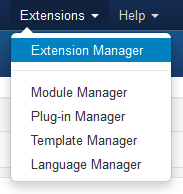
  • 03Navigate through your menu system to Extensions/Extensions Manager.
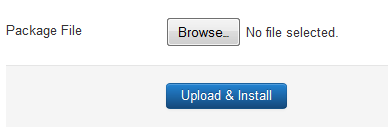
  • 04Once at the installation screen click the browse button and navigate to where you downloaded the template file.
  • 05Once you have the file selected click 'Upload File and Install'
  • The template is now installed, now let's set it as the default template:

  • 06Navigate through your menu system to Extensions/Template Manager.
  • 07Find the radio button next to the newly installed template.
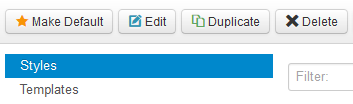
  • 08Click on the Default button at the top right of the screen and you're done!
The info slide script is a great way to display your content to your customers! It will place a sliding text box over any image on the page. It can be placed inside of content or modules. It will also automatically adjust to any size screen size on window resize. See below for a demonstration. In the backend of Vertex you can pick between a javascript only version or a pure css version.


Javascript Version


Example Slide

This is dummy text. You can add any text or html markup here.

Example Slide

This is dummy text. You can add any text or html markup here.


CSS Version Default


Example Slide

This is dummy text. You can add any text or html markup here.

Example Slide

This is dummy text. You can add any text or html markup here.


CSS Version 1


Example Slide

This is dummy text. You can add any text or html markup here.

Example Slide

This is dummy text. You can add any text or html markup here.


CSS Version 2


Example Slide

This is dummy text. You can add any text or html markup here.

Example Slide

This is dummy text. You can add any text or html markup here.


CSS Version 3


Example Slide

This is dummy text. You can add any text or html markup here.

Example Slide

This is dummy text. You can add any text or html markup here.


CSS Version 4


Example Slide

This is dummy text. You can add any text or html markup here.

Example Slide

This is dummy text. You can add any text or html markup here.


CSS Version 5


Example Title

Example Title


CSS Version 6


Example Title

Example Title


CSS Version 7


image

Example Slide

You can add any text or html markup here.
image

Example Slide

You can add any text or html markup here.


CSS Version 8


Example Slide

You can add any text or html markup here.

Example Slide

You can add any text or html markup here.


CSS Version 9


Example Slide

You can add any text or html markup here.

Example Slide

You can add any text or html markup here.


I like what I see! I want to JOIN TODAY.

Di Seri Bintang, Pembelajaran Melangkaui Sempadan

Kekal Berhubung Bersama Kami

Segala komunikasi dan penyampaian maklumat SK Seri Bintang Utara adalah melalui laman web ini, surat-menyurat dan juga aplikasi Whatsapp sahaja . Pihak sekolah tidak mempunyai sebarang akaun media sosial rasmi seperti Facebook, Instagram dan Twitter. 

Statistik Kunjungan

1243762
Hari IniHari Ini24
SemalamSemalam777
Minggu IniMinggu Ini638
Bulan IniBulan Ini17902